Free online games.
Record your best run.
88 browser games with no install and no sign-up. Press ● Record on any game to save the gameplay, with sound, as a video file on your computer.
Showing 1–12 of 88 games
Spiral Core
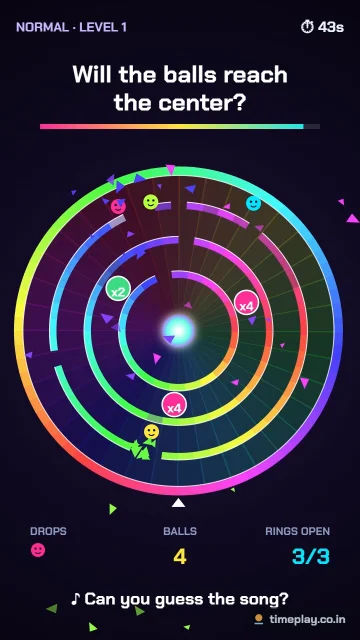
Will the balls reach the center? Smash through spinning rainbow rings to a song. 120 levels.
Fruit Merge
Drop fruit into the jar. Matching fruit merge into bigger ones.
Animal Merge
Drop cute animals into the jar. Two mice make a hamster… all the way to a unicorn!
Food Merge
Merge candy into cookies, donuts, burgers and cake. How big can your snack get?
Pizza Merge
Merge dough into bigger pizzas with more toppings, up to one giant supreme pizza.
Sea Merge
Merge sea creatures from a tiny shrimp to a huge whale.
Emoji Merge
Merge smiley faces into bigger, happier emojis, up to the party face.
Ring Escape
Bouncing balls smash out of spinning neon rings.
Fruit Slice
Swipe to slice flying fruit with juicy splashes. Avoid bombs!
Helix Drop
Spin the tower and smash down through the rings.
Sand Blocks
Blocks crumble into sand. Link a colour wall to wall to clear it.
Grid Blast
Fit blocks on the board and blast full rows and columns.
Free browser games you can record and share
88 free games that run right in your browser on phone, tablet or computer: puzzle and block games with Normal, Medium and Hard levels, arcade and action games, board and card games against the computer, word games, and vertical 9:16 Reels games made to look great on Instagram Reels, YouTube Shorts and TikTok. Press Record on any game to save your gameplay with sound as an MP4 video, ready to post. There is nothing to install and no account to make.
How to use TimePlay
Play, record and share a game in five steps. No sign-up, nothing to install.
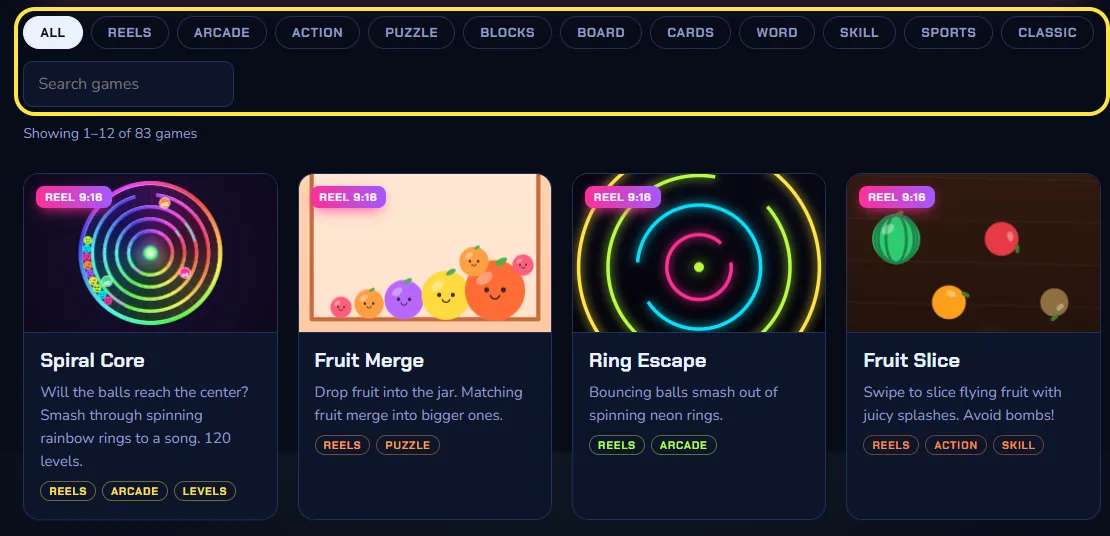
Pick a game
Browse by category (Reels, Puzzle, Arcade, Board…) or type a name in the search box, then tap a game card to open it.
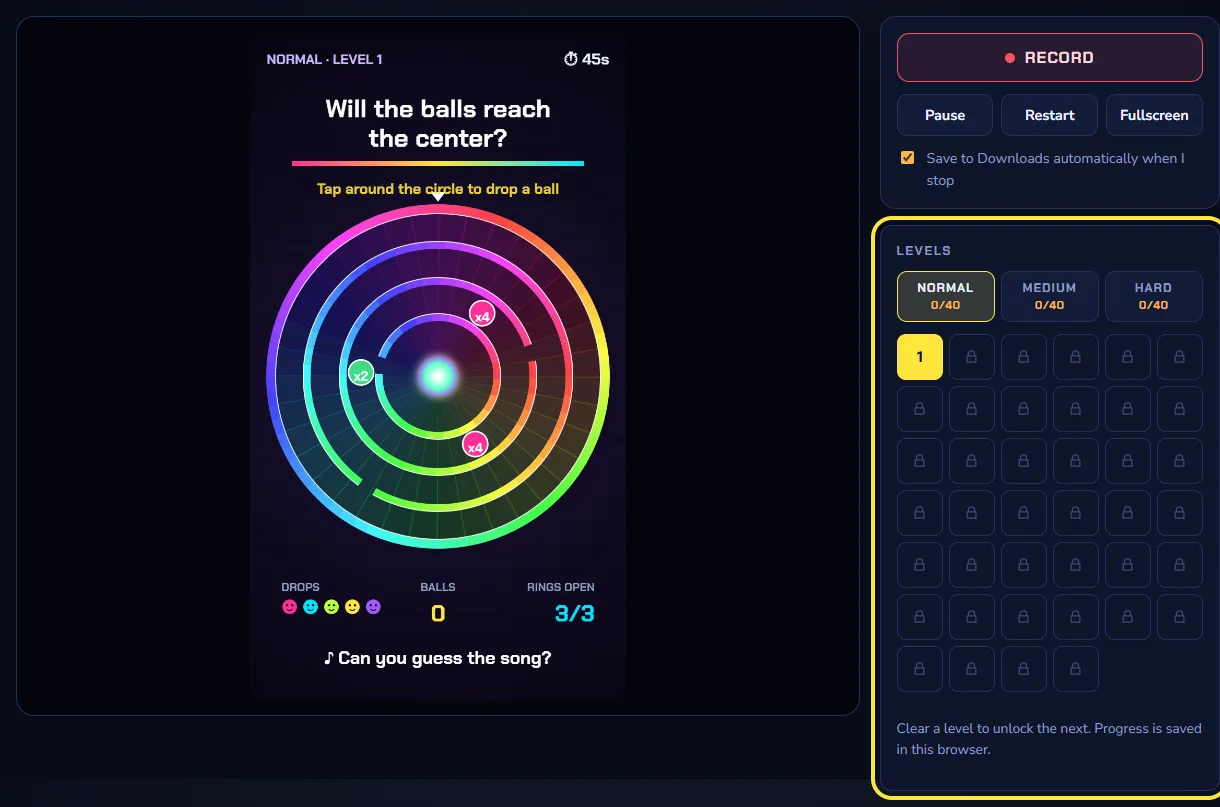
Choose a level
Level games have Normal, Medium and Hard. Clear a level to unlock the next one; your progress is saved in this browser, so you carry on where you stopped.
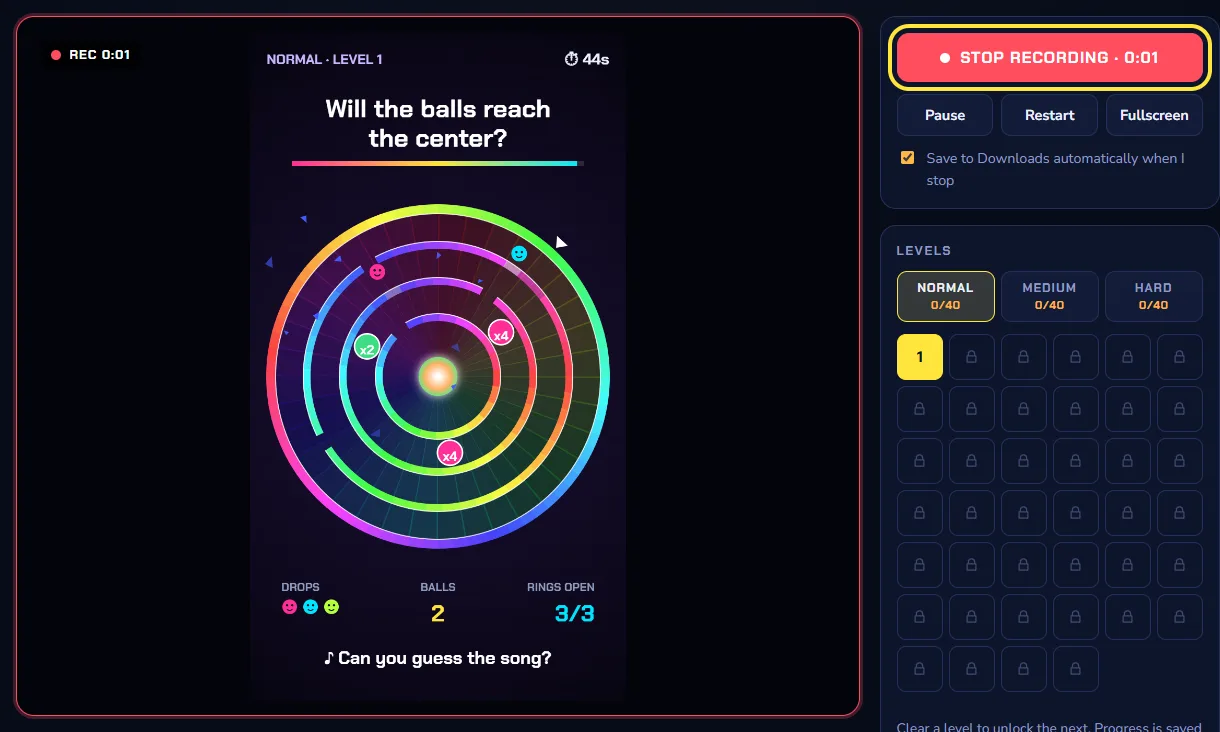
Press Record and play
Press ● Record (or the R key). A red REC badge shows the time. Play as usual: the picture and the game sound are both recorded.
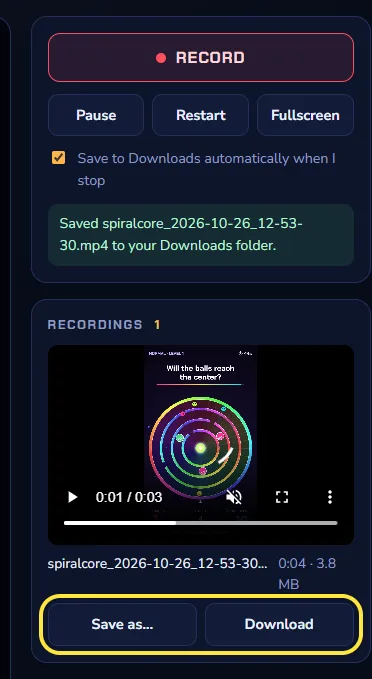
Stop and save the MP4
Press Stop. The MP4 video downloads to your Downloads folder and appears under Recordings, where Save as… lets you pick another folder.
Post it
Upload the MP4 to Instagram Reels, YouTube Shorts or TikTok. Reels games record in vertical 9:16 with a small timeplay.co.in watermark.
Frequently asked questions
What is TimePlay?
TimePlay is a free website with 88 browser games and a Kids Zone with 12 learning games. Every game runs in the browser, and a built-in recorder saves your gameplay as an MP4 video.
Are the games free?
Yes. All games are free to play, with no download, no install and no account.
Do the games work on mobile phones?
Yes. Every game works with touch on phones and tablets, and with a keyboard or mouse on a computer. The Reels games are vertical (9:16) and fill a phone screen.
How do I record my gameplay?
Open any game and press Record (or the R key), play, then press Stop. The video downloads as an MP4 file with game sound. Use Chrome or Edge for MP4; Firefox can only save WebM.
Can I post the recordings on Instagram, YouTube or TikTok?
Yes. Recordings are MP4 files with H.264 video and AAC audio, the format Instagram, YouTube and TikTok accept. Reels games record at 720 × 1280 (9:16), the size for Reels and Shorts. Each video carries a small timeplay.co.in watermark, so viewers can find the game.
Are my recordings uploaded anywhere?
No. Recording happens entirely in your browser and the file is saved straight to your device. Nothing is sent to a server.